
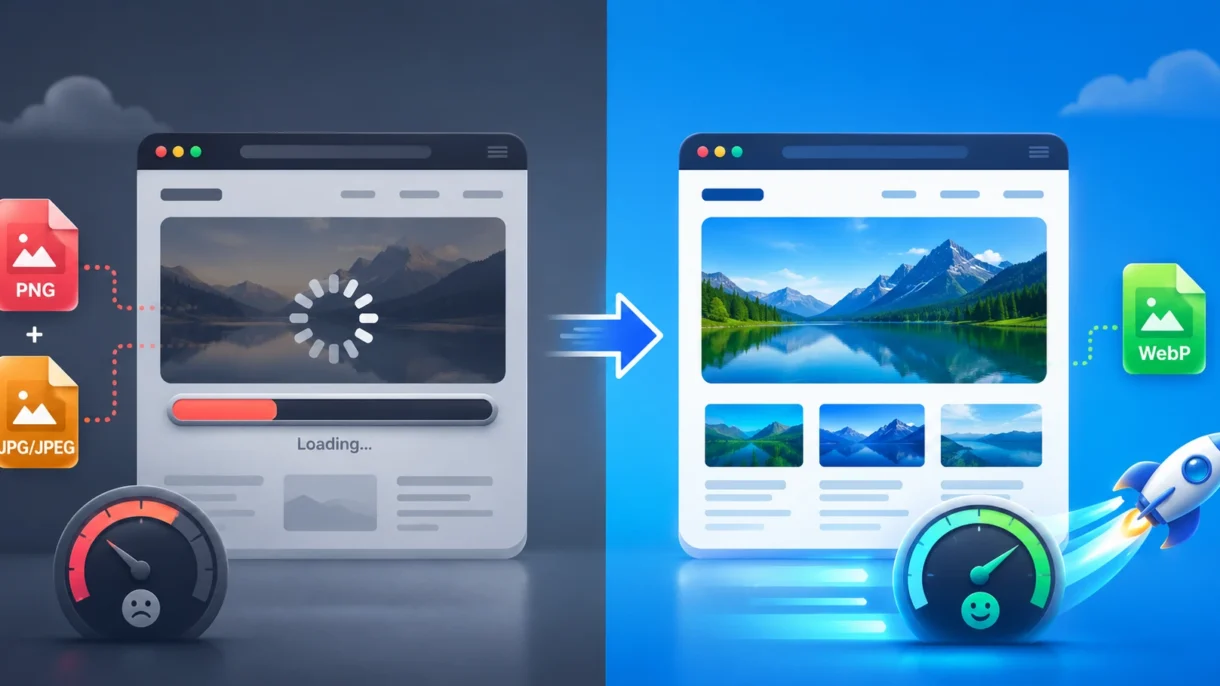

Images are one of the most important elements of a website. They help a page look more professional, present your services or products more clearly, and build more trust with visitors. At the same time, images are often one of the main reasons a website loads slowly.
If your homepage, service pages, articles, or product pages use large PNG or JPG images, the visitor’s browser has to download more data. This can make the website slower, especially on mobile devices or weaker internet connections.
One simple way to improve this is by using the WebP image format.
WebP is a modern image format designed for the web. It usually keeps good visual quality while creating smaller files than traditional JPG and PNG images. Smaller image files mean faster pages, a better user experience, and less pressure on your hosting.
Why Image Format Matters
Every image on a website has its own file size. The larger that file is, the longer it takes to load.
The image format you choose affects that file size.
PNG
PNG is useful for logos, icons, screenshots, and images that need transparency. It usually keeps the image quality very clean, but PNG files can become quite large, especially for bigger images.
JPG
JPG is commonly used for photos and more complex images. It creates smaller files than PNG, but it uses lossy compression, which means some image information is removed to reduce the file size.
For many photos, this is not a problem. But if the compression is too strong, the image can start to look blurry, distorted, or low quality.
WebP
WebP is designed to create smaller image files while still maintaining good visual quality. It supports both lossy and lossless compression, and it can also support transparency.
Simply put:
- PNG keeps images sharp, but the files are often large.
- JPG is lighter, but it can lose quality.
- WebP usually creates lighter files while still keeping good visual quality.
That is why WebP is a strong choice for many modern websites.
Why WebP Is Useful for Business Websites
A faster website is not just a technical improvement. It directly affects how visitors experience your business online. If someone opens your website and the page takes too long to load, they may leave before they even read anything. This matters even more on mobile devices, where the connection is not always stable or fast.
For a small business website, WebP can help in four key areas.
1. Faster Page Loading
Large images can easily slow down a website.
Hero images, service banners, product photos, galleries, and article images are common examples. If these files are too large, the website has to load more data before the visitor can see the full page.
WebP can reduce image file size without making the image quality noticeably worse. According to Google, lossy WebP images can be 25–34% smaller than comparable JPEG images, while lossless WebP images can be around 26% smaller than PNG images.
This does not mean every image will shrink by the exact same amount. Some images compress better than others. Still, in many real website cases, WebP can make a noticeable difference.
2. Better User Experience
A fast website feels more professional.
When pages load quickly, visitors can browse without frustration. They can view your services, check your products, read your content, or contact you without unnecessary delays.
This is especially important for:
- e-shops
- local business websites
- booking websites
- service-based websites
- blogs with many images
- portfolio pages
Website speed is part of trust. A slow website can make even a good business seem less reliable.
3. Better Technical Foundation for SEO
Google does not rank a website based only on speed, but page performance is still part of the bigger SEO picture. A faster website can improve the visitor experience, reduce frustration, and help pages perform better overall. Image optimization also helps with Core Web Vitals, especially when large images affect how quickly the main content appears on the screen. WebP alone will not magically push a website to the first position on Google. It is not “SEO magic dust.” But it is a practical improvement that supports a stronger technical foundation.
4. Less Pressure on Hosting
Smaller images mean less data needs to be transferred from the server to the visitor. This can reduce pressure on your hosting, especially if your website has many visitors, many product photos, or large galleries. For small websites, this may not directly reduce hosting costs. Still, it helps the website feel lighter and more stable. For larger websites or e-shops, image optimization becomes even more important because hundreds or thousands of images can quickly increase the total weight of the website.
Practical Examples
E-shops
Product images are important because customers want to clearly see what they are buying. However, if every product photo is too large, category pages and product pages can become slow. WebP can help product images load faster while still keeping them clear and professional. This is useful for WooCommerce, Shopify, and other e-commerce platforms.
Service Websites
A service website often uses hero images, background visuals, icons, and images from previous work. These visuals help the website look more polished, but they should not make the page too heavy. Using WebP for large visual sections can help the website load faster and feel smoother, especially on mobile devices.
Blogs and Guides
Articles often include screenshots, diagrams, or step-by-step images. If these images are not optimized, the article becomes heavier than necessary. For guides, tutorials, and educational content, WebP is usually a good choice because it keeps images clear while reducing the size of the files.
Local Business Websites
Restaurants, hotels, gyms, clinics, shops, and local professionals often rely on strong visuals to build trust. Photos are important, but they also need to load quickly. A visitor browsing from a mobile phone should not have to wait too long just to view a few images. WebP helps the website stay visually rich without making it unnecessarily slow.
When JPG or PNG Still Makes Sense
WebP is useful, but that does not make JPG and PNG useless.
There are still situations where JPG or PNG may be a better choice.
Use PNG when:
- you need very sharp graphics
- you need transparency and maximum compatibility
- you are working with logos or simple icons
- you need the image for editing, printing, or design work
Use JPG when:
- you need broad compatibility outside your website
- the image will be sent by email or used in older systems
- the image is a regular photo and is already well optimized
Use WebP when:
- the image is used on your website
- you want smaller image files
- you want better loading speed
- you are optimizing article images, hero images, product photos, or galleries
For websites, WebP is now supported by modern browsers like Chrome, Firefox, Edge, Safari, and Opera. Compatibility issues with older browsers are much less important today than they were in the past. For email marketing, however, JPG or PNG may still be a safer choice, because WebP support can vary depending on the email client and platform.
Common Mistakes to Avoid
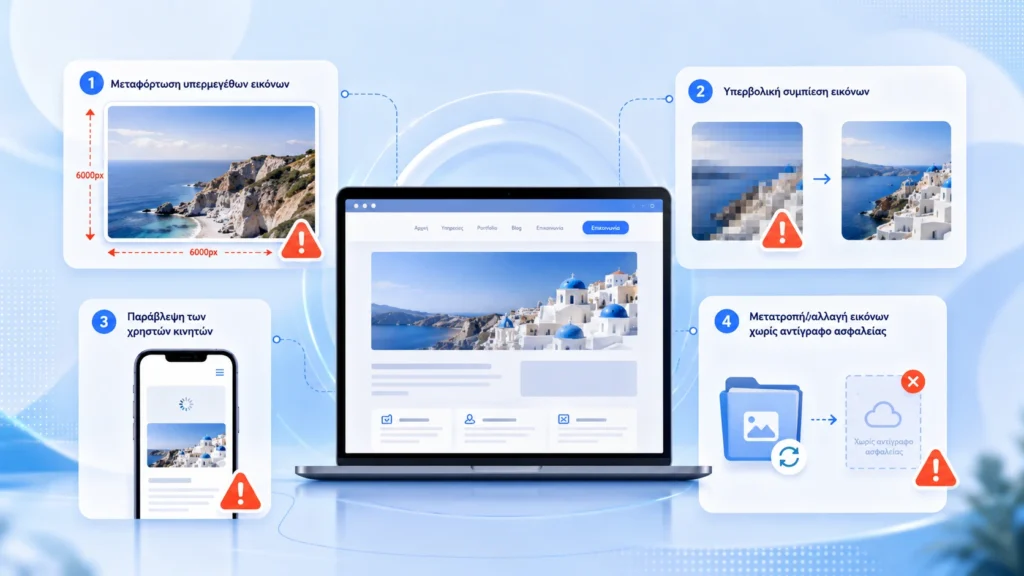
1. Uploading Huge Images Without Resizing
WebP helps, but it is not magic. If you upload a 5000px-wide image while your website only displays it at 1200px, the file may still be larger than necessary. Before converting images to WebP, it is a good idea to resize them to realistic dimensions for how they will be used on the website.
2. Compressing Images Too Much
The smallest file is not always the best option. If you compress an image too much, it can look blurry or damaged. This is a problem for product images, portfolio work, and any situation where the image plays an important role. The goal is balance: a smaller file size, but still a clean appearance for the visitor.
3. Ignoring Mobile Users
Many visitors browse websites from their mobile phones. Mobile users may have a slower connection, a smaller screen, or limited data. Optimized images help the website load faster and work more smoothly. If your website looks good on desktop but feels slow on mobile, large images are one of the first things worth checking.
4. Bulk Converting Images Without a Backup
If you use WordPress, create a backup before bulk converting images. This gives you a way to restore the website if something does not work correctly. This is especially important for older websites, large media libraries, and e-shops.
How to Get Started with WebP on WordPress
You do not need to be a developer to start using WebP.
For most WordPress websites, the easiest way is to use an image optimization plugin.
Popular options include:
- ShortPixel
- EWWW Image Optimizer
- Smush
- Imagify
- Optimole
The exact setup depends on your hosting, theme, cache plugin, and website structure. That is why, after enabling WebP, you should always test your website. Because of that, after enabling WebP, always test your website to make sure everything works correctly.
Quick Checklist Before Getting Started
Before you start using WebP on your website, follow this simple checklist:
- Back up your website.
- Check which pages use large images.
- Resize images before uploading them.
- Use an optimization plugin if you are on WordPress.
- Start with new images in WebP first.
- Test your website on desktop and mobile.
- Check important pages such as the homepage, services, products, and contact page.
- Use tools like PageSpeed Insights or GTmetrix to compare performance.
You do not need to optimize everything in one day. Start with the most important pages first.
Final Thoughts
WebP is one of the simplest ways to make a website lighter and faster. It is not the only performance improvement that matters, but it is a practical first step. Large images are one of the most common problems on small business websites, and optimizing them properly can make a real difference. For most modern websites, WebP is a good choice for hero images, article images, product images, galleries, and visual elements on service pages.
The best approach is simple.Use WebP for website images where it makes sense. Keep JPG or PNG when you need compatibility, editing, or specific quality requirements. And always check the final result.
A fast website is not just about speed. It gives a more professional impression, feels more reliable, and is easier to use. And for a small business, that matters.